Create a LinkedIn Profile post
LinkedIn has two very different surfaces: your Company Page (org-level, business voice) and your personal Profile (you, as a human). Glowtify supports both — through two separate task types and two separate connectors.
This article is about LinkedIn Profile posts (personal). For company-page posts, see Create a Meta post which covers LinkedIn Page Post alongside Meta and TikTok.
Why a separate task type
Personal-profile posts on LinkedIn behave very differently from page posts:
- Reach — personal profiles consistently get more organic reach than company pages
- Voice — readers expect a real human, not a brand. The writing style needs to be yours, not the company's
- Identity — the post is owned by a member, not the workspace. Even if a teammate drafts it, only the profile owner can publish to their own LinkedIn
- Permissions — LinkedIn issues each user their own OAuth token; pages share an org-level token
So LinkedIn Profile Post is its own task type with its own connector, its own writing style, and its own publishing pipeline.
Connecting your LinkedIn profile
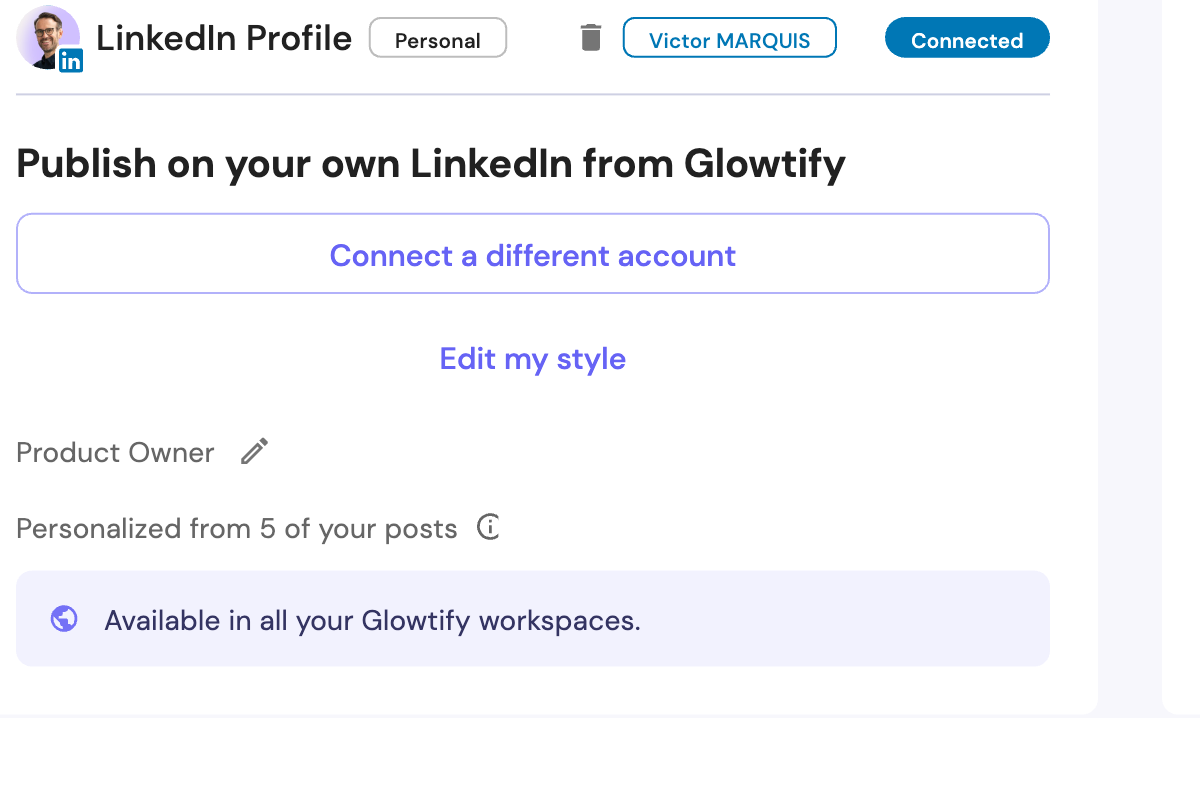
The LinkedIn Profile connector is per-user, not per-workspace. Each team member connects their own LinkedIn account. The connection is shared across every Glowtify workspace you belong to, so you only do it once.
To connect: go to Connectors → look for LinkedIn Profile (the "Personal" tag distinguishes it from the LinkedIn Page connector right above) → Connect → walk through LinkedIn OAuth. You'll come back with your name, your title, and your avatar synced from LinkedIn.
LinkedIn tokens expire every ~60 days. Glowtify refreshes them automatically in the background. If a refresh fails (revocation, account changes), the connector card flips to a Needs reconnect state and any scheduled post that was about to use that profile gets flagged before publish time, so nothing fails silently at 9am.
Creating a LinkedIn Profile post
From Create + → Social Media → LinkedIn Profile Post. The brief, generation, and chat flow are the same as any Epic — the LinkedIn-specific bits are:
- Target profile picker — if you have several connected profiles in this workspace (your founder, your CEO, you), pick which one publishes
- Brief — same prompt fields as a page post, but the AI uses the target user's personal voice (see below)
- Preview — shows the target's own LinkedIn identity (their avatar, their name, their headline), not the company's
- Publish gate — only the target user can publish or schedule; anyone else can author and send for review (see Delegated review below)
Per-user writing style
The single biggest difference vs. Page Post: personal posts use the target user's own writing style, not the brand voice. Each connected member has their own style learned from three sources:
1. Cold-start nudge
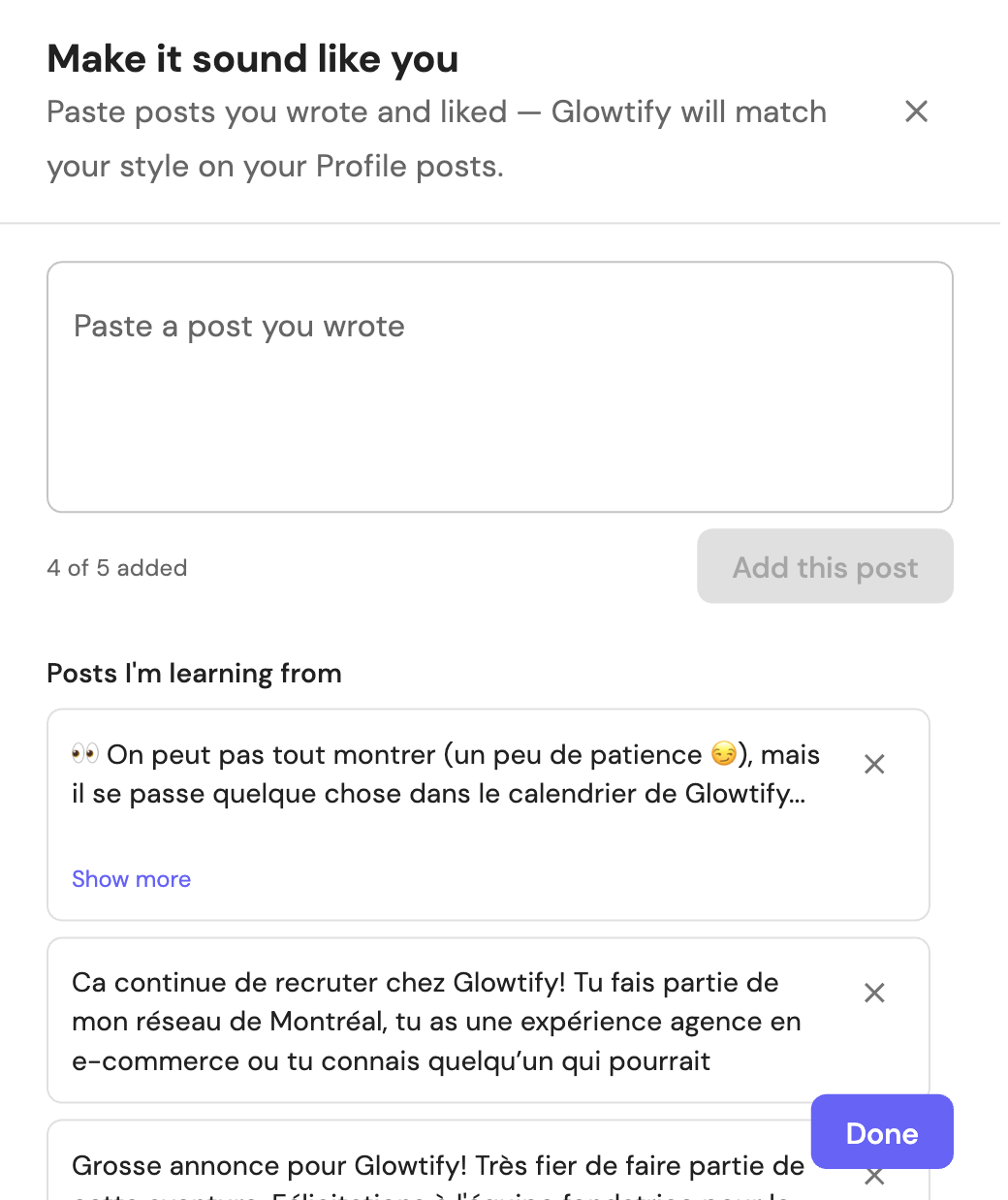
The first time you connect your LinkedIn profile (and again the first time you generate from it), Glowtify pops a modal asking you to paste a few of your own LinkedIn posts. The more samples, the more accurate the voice.
2. Paste examples manually
You can come back any time via the Edit my style link on the connector card. The dialog lets you add, edit, and delete writing-style samples — up to five at a time, all autosaved.
3. Learn-forward from your published posts
Once you start publishing through Glowtify, your recently published Profile posts are automatically read back as additional style exemplars. The more you publish, the better the next post sounds like you.
When generating cross-profile (a teammate writing in your voice), Glowtify uses your style — not the brand voice and not the drafter's voice.
Delegated review
The most useful pattern: a marketing teammate drafts a LinkedIn post on behalf of the profile owner. The owner approves it, and then it publishes (or gets scheduled) from the owner's profile.
How it works:
- The drafter creates a LinkedIn Profile Post task with the owner set as the target
- Generation runs in the owner's voice
- The drafter cannot publish directly — the Publish button is locked; only Send for review is available
- The owner sees the task in their queue with a review banner: Approve, Request changes, or Withdraw approval (if they want to take it back after approving)
- Once approved, the publish button unlocks. The drafter can publish immediately, or scheduling continues toward the queued date
- At publish time (immediate or scheduled), the system re-verifies the owner's session is still valid — if the owner reconnected since approving, the re-verification catches it
In Mixpanel, every step of this funnel — Approve, Request changes, Withdraw — is tracked, so you can see where reviews stall.
What's not in scope
A few things this article doesn't cover (and that don't apply to LinkedIn Profile posts):
- Multi-image carousels — supported the same as Page Post; nothing personal-specific
- Articles (long-form) — not yet supported on profiles via the API; coming
- Native LinkedIn polls — not exposed; if you need a poll, publish from LinkedIn directly
- Tagging other LinkedIn members — not yet supported through the API
Common issues
"Reconnect required" on the LinkedIn Profile card
Your token expired or was revoked at LinkedIn. Click Reconnect on the card and walk through OAuth again. Any scheduled post that needs your profile will pause until reconnection — Glowtify doesn't fire profile posts blind.
My preview shows someone else's identity
Fixed in June 2026: the preview now always uses the target profile's identity (avatar, name, headline). If you still see the viewer's identity instead of the target's, hard refresh and reload the epic — you may be running a stale tab.
"You can't publish to this profile"
The publish gate is doing its job: only the target user can publish to their own LinkedIn. If you're not the target, send the task for review instead (the drafter section above).
My writing style sounds off
Three things to try, in order:
- Open Edit my style on the connector card and verify your samples are accurate (delete any that don't represent your voice anymore)
- Publish 5–10 posts through Glowtify — the learn-forward path adds them to your voice model automatically
- If you have very different voices (work-y vs. personal-y), keep the work-y samples in Edit my style and let Glowtify match what you mostly publish
Related articles
- Create a campaign — generic editor (brief, tasks, chat, generation)
- Create a Meta post — Page Post + Meta + TikTok
- LinkedIn connector — Page connector (org-level)
- Smart Scheduling — how social posts schedule
- Publication errors — what to do when a publish fails