Boost a Meta post
Boost turns a regular Facebook or Instagram post into a paid ad — without leaving Glowtify and without setting up a full campaign in Ads Manager. You write the post, schedule it, and (optionally) put dollars behind it to reach beyond your organic audience.
If you've ever clicked Facebook's blue Boost button under one of your posts, this is the same idea, only better integrated with the rest of your Glowtify workflow.
When Boost is the right tool
Reach for Boost when:
- You already have a strong organic post and you want to amplify the same creative
- You want a short, scoped spend (a few days, a few dollars/day) rather than a full ad campaign
- You don't need granular targeting beyond audience presets — broad reach or a lookalike of your followers is enough
If you need conversion optimization, multiple ad variants, advanced audiences, or anything beyond "promote this exact post," create a proper paid ad with Create an ad instead. Boost is the lightweight option.
Where to find it
Boost lives inside an epic — it's a right-side panel that opens on Facebook post and Instagram post tasks (not stories, not LinkedIn, not TikTok). You'll see two entry points:
- In the publish dialog — once the post is ready to schedule, a Boost this post banner appears. If a boost was already configured, the banner shows your daily budget and audience.
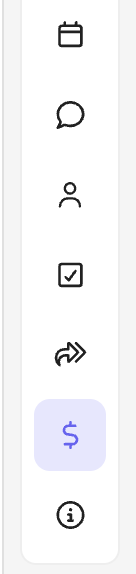
- In the right panel — a Boost toolbar item (the
$icon) next to Approval / Review opens the full config form.
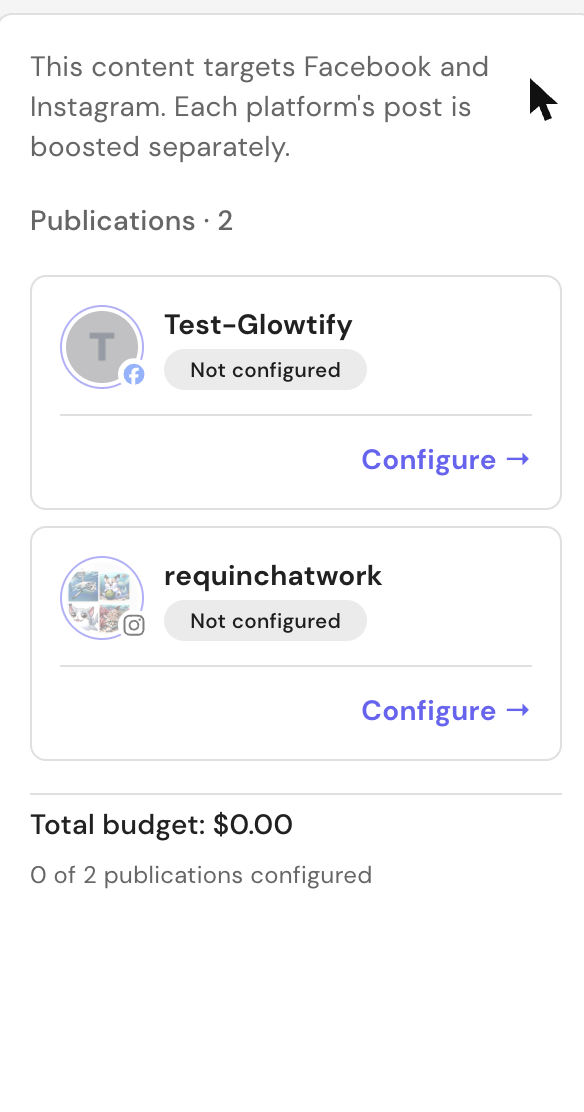
Boost is available on a per-publication basis. If your post goes to both Facebook and Instagram, each platform gets its own boost configuration — same post, two ads under the hood.
Prerequisites
Before you can launch a boost, two things must be in place:
- The Meta connector must be connected, with the relevant Page (Facebook) and/or Instagram account selected.
- The connected Meta Ad Account must have an active payment method in Meta Business Settings.
If either is missing, Glowtify shows a friendly prereq alert with a direct CTA:
- Meta Ads Account Required → opens your connectors page so you can connect Meta.
- Payment Method Required → opens Meta Business Settings → Payment Settings (pre-scoped to the right ad account) in a new tab.
You can configure all the other Boost settings before the ad account is ready — but you won't be able to fire the boost until the alert clears.
The Boost configuration form
The form is broken into focused sections you fill in order:
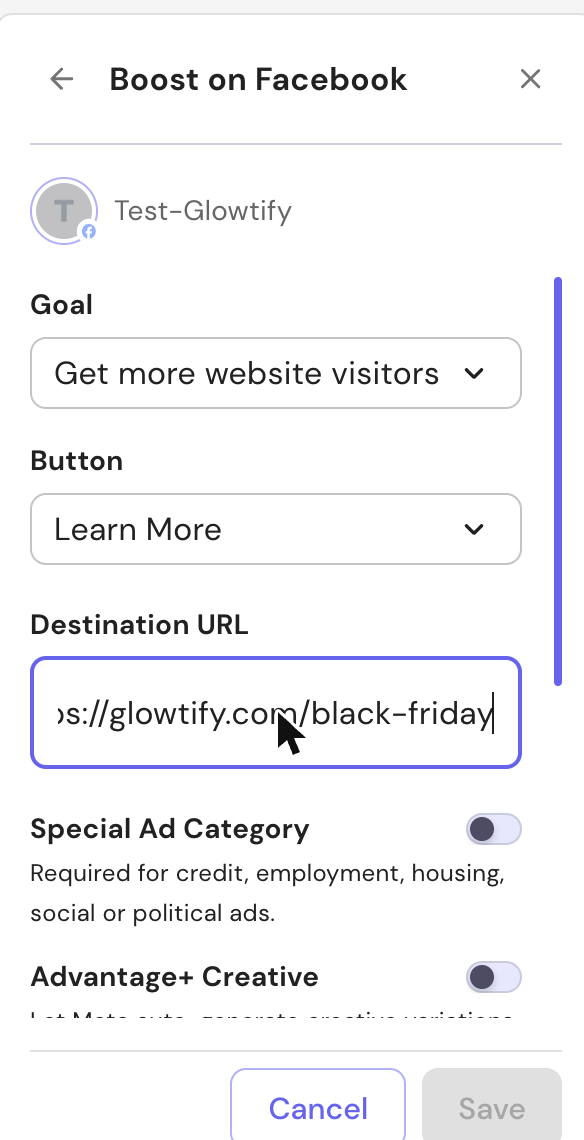
1. Destination
What Glowtify sends the traffic to. Depending on the goal you pick below, this section asks for either:
- A Destination URL (when the goal is Website visitors — must be a valid
https://…link). Glowtify validates the URL on blur. - A Messaging destination (when the goal is Messages) — Messenger for Facebook boosts, Instagram Direct for Instagram boosts.
- Nothing extra (for Engagement and Profile visits goals).
2. Goal
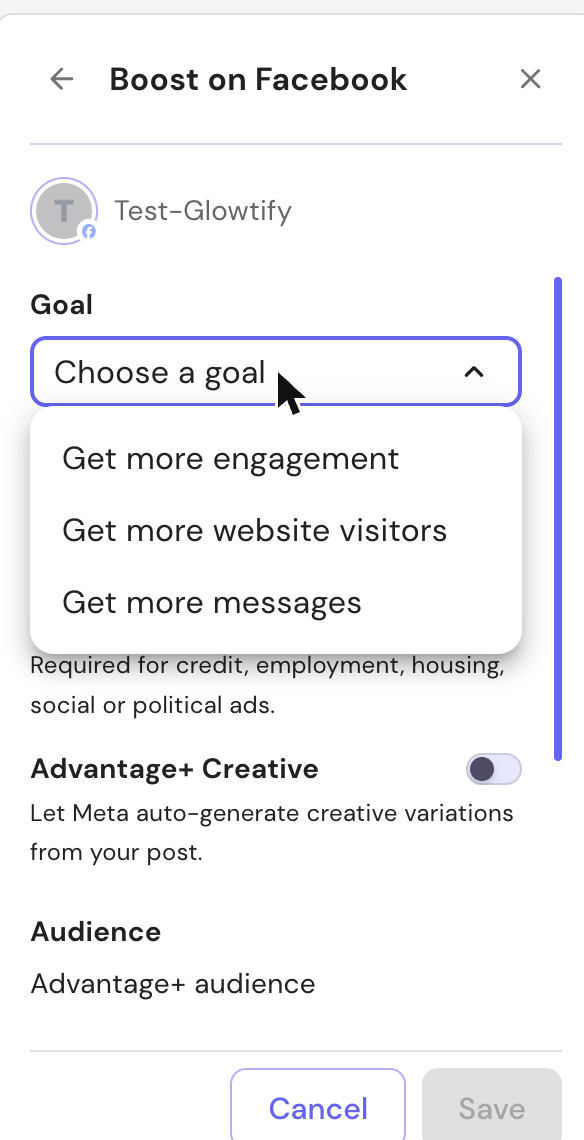
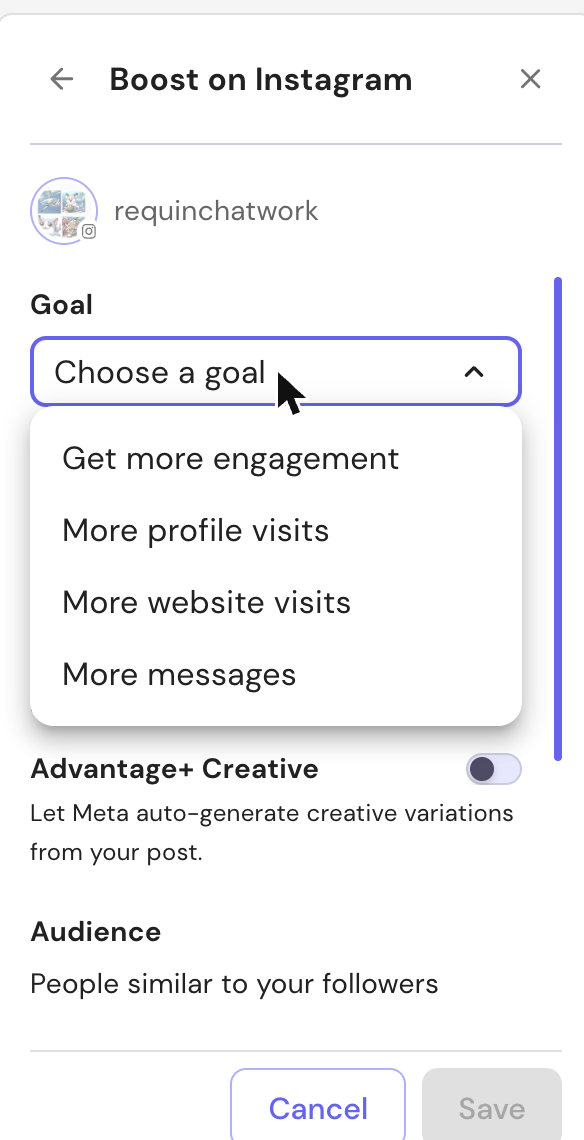
The goal is what Meta optimizes the delivery toward. Available goals depend on the platform:
| Platform | Goal | What it does |
|---|---|---|
| Get more engagement | Maximize reactions, comments, shares | |
| Get more website visitors | Drive clicks to your URL | |
| Get more messages | Encourage Messenger conversations | |
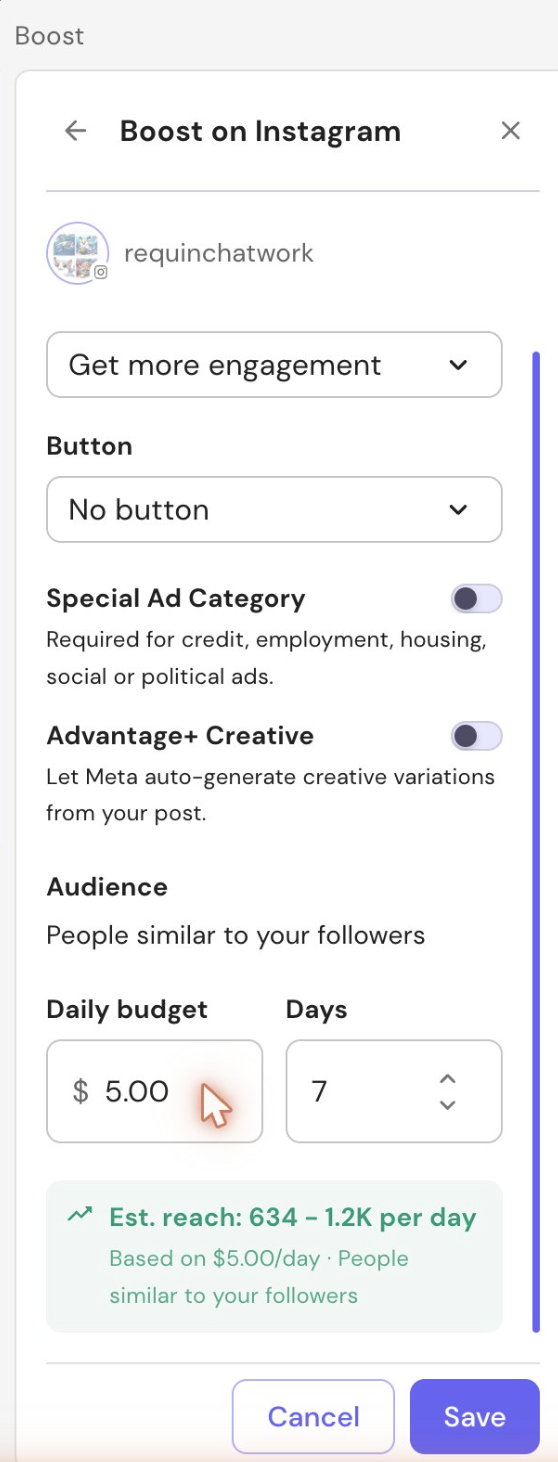
| Get more engagement | Maximize likes, comments, saves | |
| More profile visits | Push viewers to your IG profile | |
| More website visits | Drive clicks to your URL | |
| More messages | Encourage Instagram Direct conversations |
Carousel formats (multi-photo or mixed media carousels on Facebook) don't support the Engagement goal — Meta requires a more specific objective. Glowtify hides the unsupported options automatically.
3. Call-to-action (button)
Once a goal is picked, the available CTAs narrow to what Meta allows for that combination. Examples:
- Engagement → No button (the post itself is the action)
- Website visitors → Learn More, Shop Now, Book Now
- Messages → Message Page (Facebook) / Send Message (Instagram)
- Profile visits → View Instagram Profile
4. Audience
Boost ships with two audience presets — granular audience building is intentionally out of scope (use a full ad in Ads Manager for that):
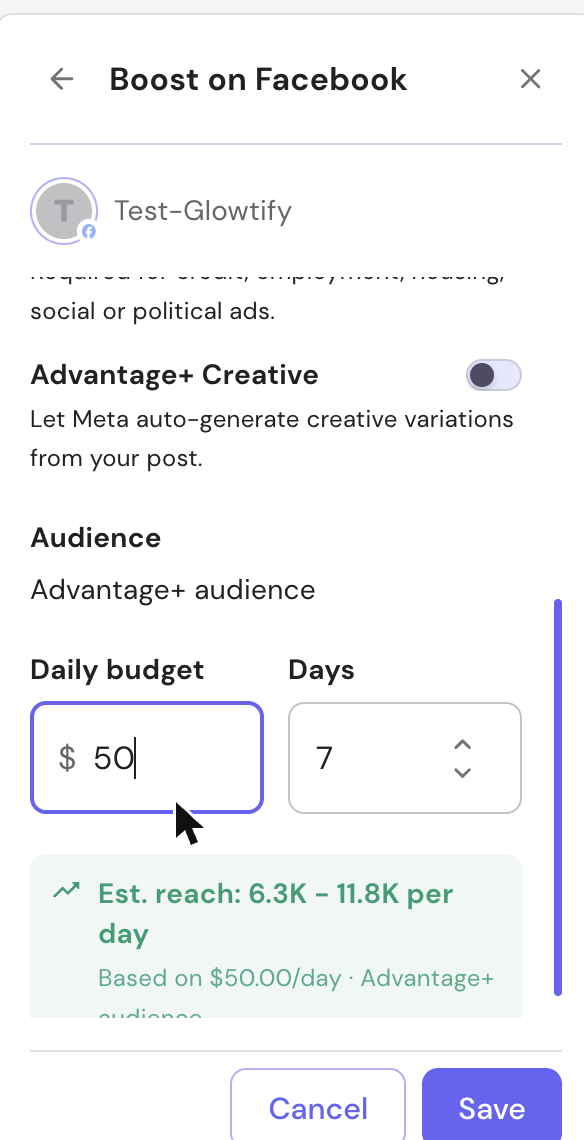
- Advantage+ (default on Facebook) — Meta picks the audience based on your post and Page history. Best general-purpose choice.
- Followers + similar (default on Instagram) — targets your existing followers plus a Meta-generated lookalike of them.
5. Budget & duration
- Daily budget in your ad account's currency. The minimum is set by Meta (typically the equivalent of $1/day; Glowtify reads the live minimum from your ad account and validates against it). You can raise it up to 100× the minimum from inside Glowtify.
- Duration in days — between 1 and 364 days. Default is 7.
Glowtify multiplies the daily amount × duration to compute a total — that's what you'll see attributed to the campaign in Meta Ads Manager.
6. Reach estimate
A live estimate sits at the bottom of the form: based on your audience preset and daily budget, it shows the approximate daily reach range you can expect. The estimate uses your ad account's historical CPM where available, and a Glowtify fallback otherwise. Treat it as an order of magnitude — Meta's actual delivery varies.
7. Compliance switches
Two toggles you should know about:
- Special Ad Category — Required when your post relates to credit, employment, housing, social or political issues. Toggling it on tells Meta to apply the regulated-category restrictions (limited targeting, no demographic targeting, etc.). Leave it off for everything else.
- Advantage+ Creative — Lets Meta auto-generate creative variations (different aspect ratios, tweaked brightness, etc.) from your post. Increases reach in many cases. Default off so you stay in control of your creative.
Launching the boost
Once the form is valid and the prereqs are clear, the Launch action fires the boost. Behind the scenes Glowtify creates, in sequence:
- A Meta campaign with the chosen objective
- An ad set with your audience, budget and duration
- An ad built from your post
Glowtify tracks each step. If any step fails, the publication is marked Failed with the specific step recorded (preflight, campaign, eligibility, ad set, or ad creation) — useful when escalating to Meta support.
The boost is scheduled to run alongside your post's publication. If the post is scheduled for next Tuesday, the boost starts then; if the post is already live, the boost starts firing right away.
Status badges
You'll see a status badge on the task that aggregates both platforms' state when the post is published to FB + IG:
- Active — at least one boost is currently running. The badge shows a soft pulse.
- Scheduled — boost is queued but hasn't started yet.
- Completed — boost reached its end date.
- Failed — both platforms' boosts failed.
- Partially failed — one platform succeeded, the other failed. Click in to see which.
Boost performance
Once a boost is firing or has fired, a Boost Performance section appears on the task preview. Four KPIs, refreshed from Meta:
| KPI | What it measures |
|---|---|
| Spent | Cumulative spend, with X of Y budget underneath |
| Reach | Unique accounts reached |
| Clicks | Total clicks on the ad, with the CTR% underneath |
| Cost per click | Average cost of one click |
A View in Meta Ads Manager → link in the bottom-right opens the campaign in Ads Manager (scoped to the right ad account) if you need the full Meta-side breakdown.
Common errors and what to do
Boost errors come back with a specific code. Here's what each one means:
| Code | Meaning | Fix |
|---|---|---|
META_5XX | Meta API server error | Transient. Glowtify retries automatically; if it persists, check Meta Status. |
IG_NOT_ELIGIBLE | The Instagram post isn't boost-eligible | Common when the IG account isn't fully Professional, or the post is a Reel that Meta hasn't yet enabled for boosts. Boost only the Facebook side. |
CAROUSEL_ENGAGEMENT_INVALID | Engagement goal was selected for a carousel post | Switch the goal to Website visitors or Messages, or pick a non-carousel format. |
GOAL_PLATFORM_INVALID | The selected goal isn't allowed on the selected platform | Pick a different goal — Glowtify normally hides invalid combinations, this catches edge cases. |
MESSAGING_DESTINATION_REQUIRED | The Messages goal was launched without picking Messenger or Instagram Direct | Set the messaging destination in the form. |
VIDEO_URL_REQUIRED | Video post is missing a public URL | Ensure the post's media is fully uploaded and processed before launching. |
If the boost is in Failed state and you've fixed the underlying issue, edit the config (or just hit launch again) — Glowtify reattempts.
Other boost states you may see:
- Abandoned — Glowtify gave up after the retry limit. Edit and relaunch.
- Drifted — the post or its destination changed underneath the boost. Review and relaunch.
Things Boost doesn't do (yet)
Set expectations up front:
- No A/B testing of multiple creatives — Boost runs the exact post as-is. Use Create an ad for variants.
- No custom audiences / lookalike upload — only the two presets above. Use Ads Manager for custom audiences.
- No lifetime budget — daily only. The duration × daily approximates a lifetime cap.
- Not available on stories, Reels, LinkedIn, TikTok — Boost is Meta-feed-post only.
Related articles
- Create a Meta post — the post you're boosting starts here
- Create an ad — the full ad-campaign alternative
- Meta connector — prerequisites and reconnection flow
- Publication errors — how publishing failures behave in general
- Smart Scheduling — why social posts and their boosts are "soft" scheduled