Paid tab
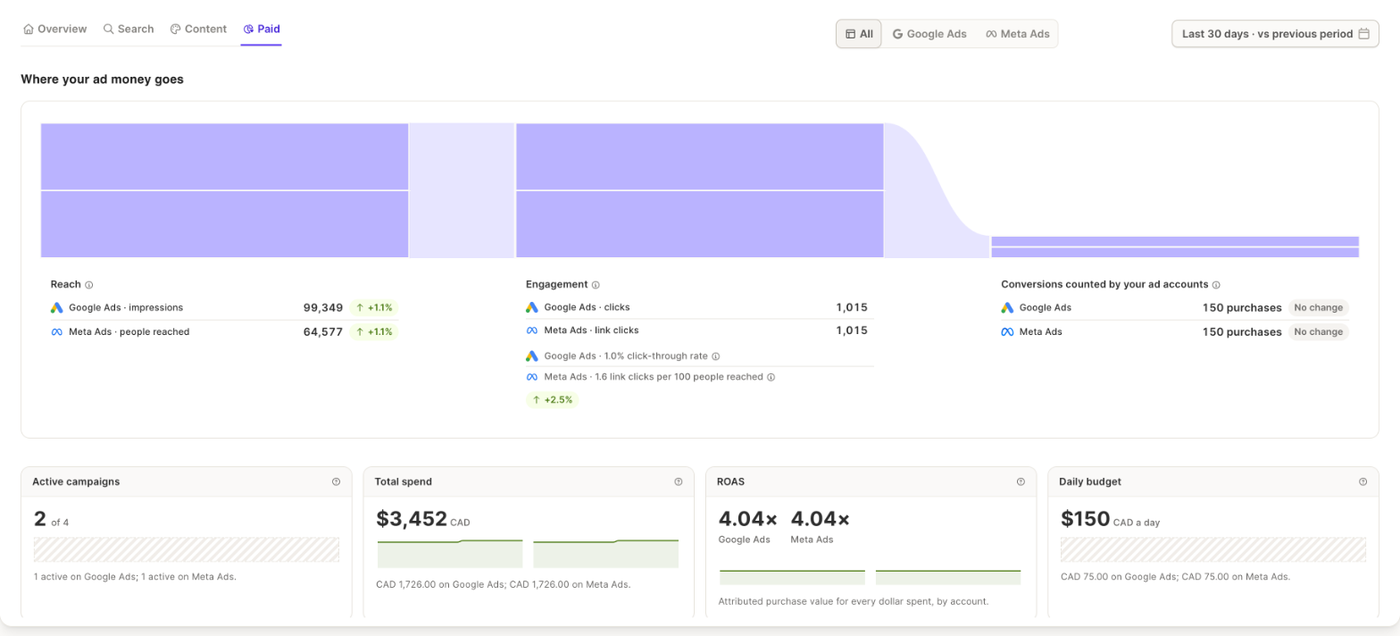
The Paid tab brings your Google Ads and Meta Ads accounts together, with the numbers your ad accounts report.
Choosing the accounts
Switch between All, Google Ads and Meta Ads at the top right. The whole tab, and the Analyst, follow your choice.
Where your ad money goes
The flow shows what your ads reached (impressions on Google Ads, people reached on Meta), the clicks they earned, and the Conversions counted by your ad accounts. An account with no spend in the period says so.
Four cards follow:
- Active campaigns, out of all your campaigns, per account
- Total spend, with its trend, per account
- Cost per conversion, or ROAS (return on ad spend) when your Shopify store is connected
- Daily budget across your live campaigns
Campaigns, ad groups and ads
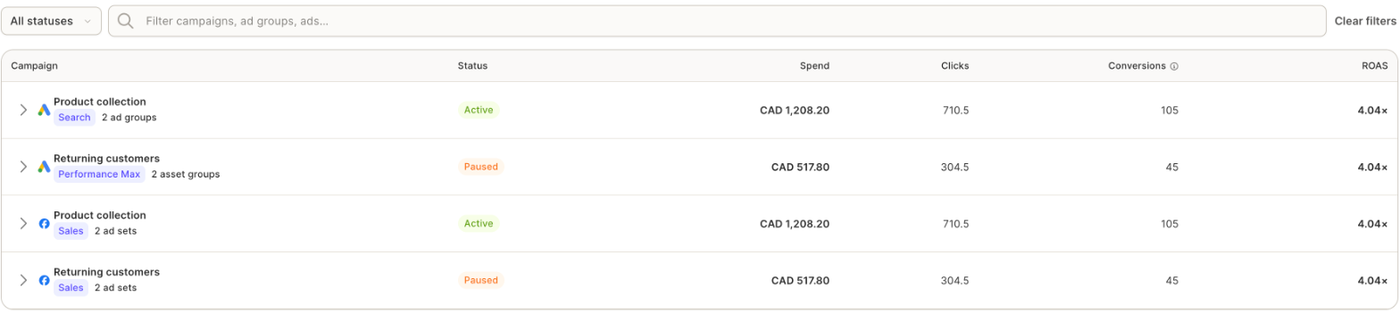
The table lists your campaigns with their Status, Spend, Clicks, Conversions and cost per conversion (or ROAS). Expand a campaign to see its ad groups and ads. Filter by status, search by name, or show inactive campaigns.
When something is missing
- "You are not running ads yet": no campaign with spend in the period.
- Not connected: a Connect button for the account.
- Connection lost: a Reconnect button.
- "Meta tracking not possible": Meta can't count conversions until tracking is set up in Meta Events Manager.