Search tab
The Search tab shows how people find you when they look for what you sell: in the answers of AI assistants, and on Google. Three views sit at the top right: All, On Google (SEO) and Visible in AI (GEO).
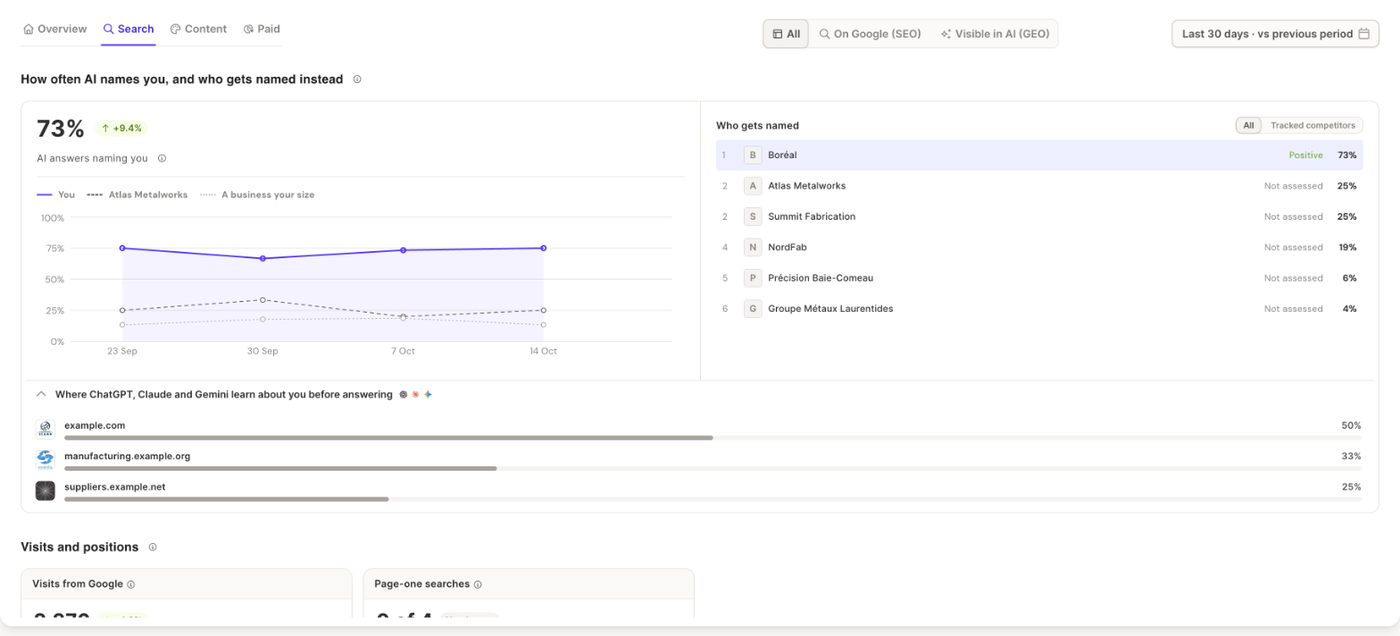
All
How often AI names you, and who gets named instead comes first:
- AI answers naming you, the share of answers from ChatGPT, Claude and Gemini that name your business, week by week. The chart compares you with the most-named business and with "A business your size" (the average of the competitors in your Business DNA).
- Who gets named, the businesses the assistants name, with the share of answers and the tone used for each. Switch between All and Tracked competitors.
- Where ChatGPT, Claude and Gemini learn about you before answering, the websites the assistants cite, starting with your own.
Visits and positions follows, with your Visits from Google and Page-one searches, and the searches you track. Without Search Console, a message says which Google numbers are missing, with Connect Search Console and What am I missing? (which asks the Analyst).
On Google (SEO)
This view shows your Google results in detail: Visits from Google, Search impressions and Click rate, how your positions move, and What your customers type into Google, the searches you track. Click a search to see the top Google results and the competitors above you. You can choose which searches to track in your Business DNA.
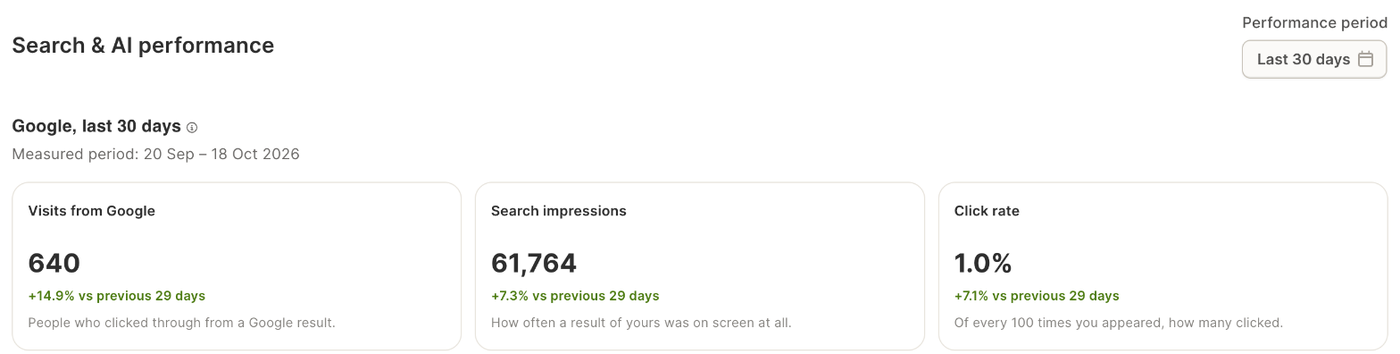
Visible in AI (GEO)
This view goes question by question: what your customers ask the assistants, which ones name you, the tone, and the last six weeks. It is described in GEO monitoring.
What it needs
- The AI part needs a paid plan, and your business name in Business DNA. Without a plan, the view explains what it offers and how to get it.
- The Google part works best with Search Console connected. Visits from Google Analytics still show without it.
Related articles
- GEO monitoring
- The Analyst: ask what changed in your search results