Ideas Board
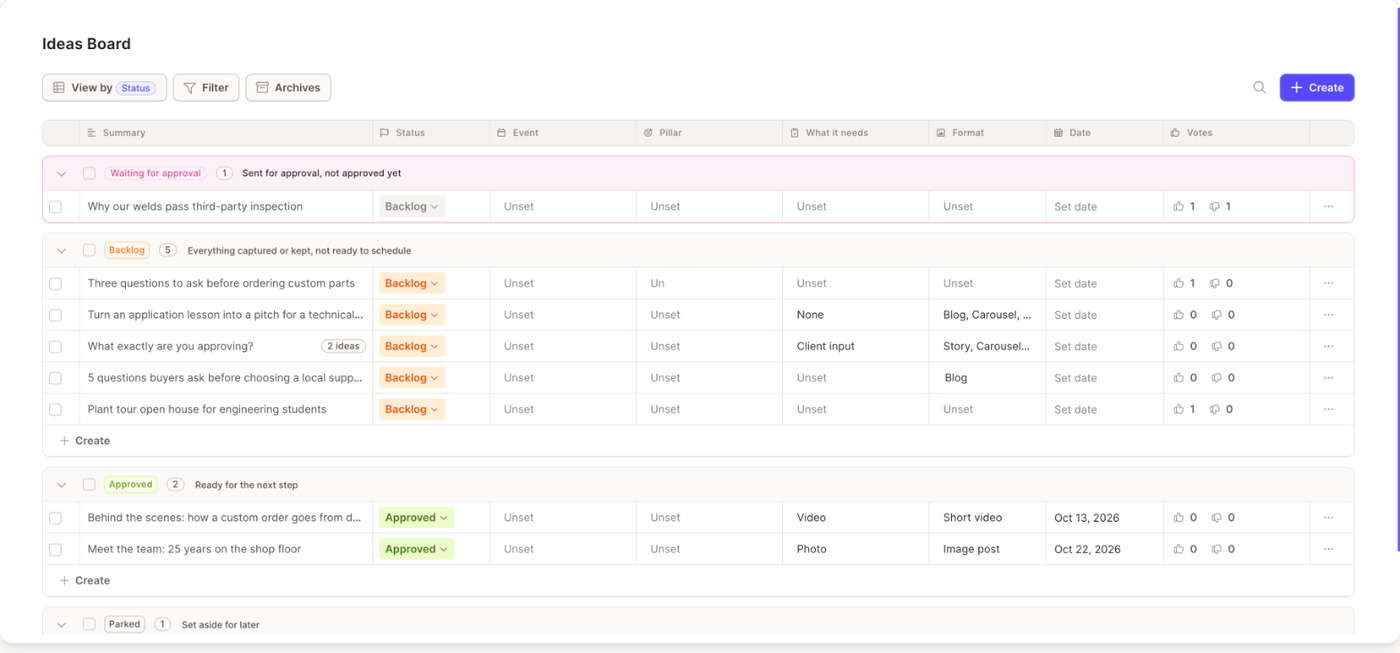
The Ideas Board (nav rail → Ideate → Ideas Board) is the workspace's shared list of content ideas. Ideas saved from Browse and ideas typed in by the team live side by side, with the same fields.
Statuses
Every idea has one status:
- Backlog, everything captured or kept, not ready to schedule
- Approved, ready for the next step
- Parked, set aside for later
Change the status from the row or from the idea's details. A status change never creates or schedules content. Archiving is optional: an idea can stay in any status as long as the team needs it. Ideas you archive, from any status, leave the board and go to Archives. Add a reason so the team knows whether the idea was used or set aside; the reason is shown in Archives. Put back returns an archived idea to Backlog.
Views and filters
View by groups the board by Status, Event, Pillar or What it needs. Each group can carry a short description, editable by anyone on the team.
Filter narrows the list by Status, What it needs, Format or Timing (dated or undated). Search ideas matches titles and descriptions. Filters and search also apply to ideas waiting for approval.
Adding an idea
Type a title in the new-idea row and press Enter. The idea lands in Backlog, with you as its creator. Open it to fill in the rest.
Fields
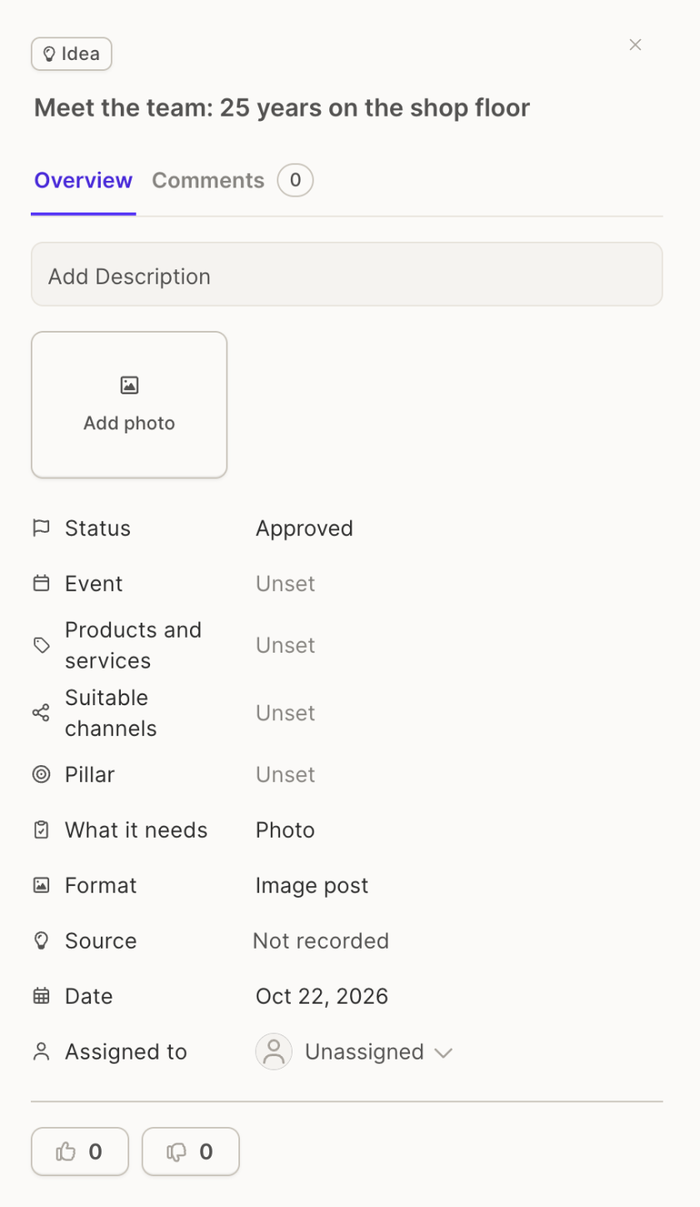
Open an idea to edit its fields, or edit most of them straight from the row:
- Title, Description and Guardrails (what the content must avoid)
- Format: image post, short video, carousel, text post, story, blog or newsletter
- What it needs: none, photo, video, client input or an existing asset
- Timing: a date, or undated
- Event, chosen from your calendar events, with a shortcut to create one
- Products and services, Pillar and Suitable channels
- Assigned to, a workspace member
- Source, where the idea came from (a trend, a competitor, a client call, the news, a top performer, a seasonal moment, the team)
- Photos (JPEG, PNG, WEBP or SVG), uploaded from your computer or picked from the Media Library
Ideas saved from Browse also keep their research: sources, why it fits, why now, and the suggested plan.
An Idea package holds several ideas under one title and description. The package shows its count and lists the ideas inside.
Votes and comments
Vote up or Vote down on any idea. Votes are a signal for the team, not a decision. Open the idea to see who voted.
Each idea has a comment thread. Use it for context and suggestions; change requests from a review are posted here too.
Selecting several ideas
Tick ideas to act on up to 100 at once: request approval, approve (when you are a reviewer), archive with an optional reason, or put archived ideas back.
While an idea is in review
An idea sent for approval is locked: no edits, status changes, moves or archiving until the review ends. See Review and approve ideas.
Related articles
- Create content from an idea
- Collaboration: roles, comments and approvals across Glowtify