Browse ideas
Browse (nav rail → Ideate → Browse) shows the ideas Glowtify researched for your brand this week. Each one comes with its sources and a short case for why it fits you and why now.
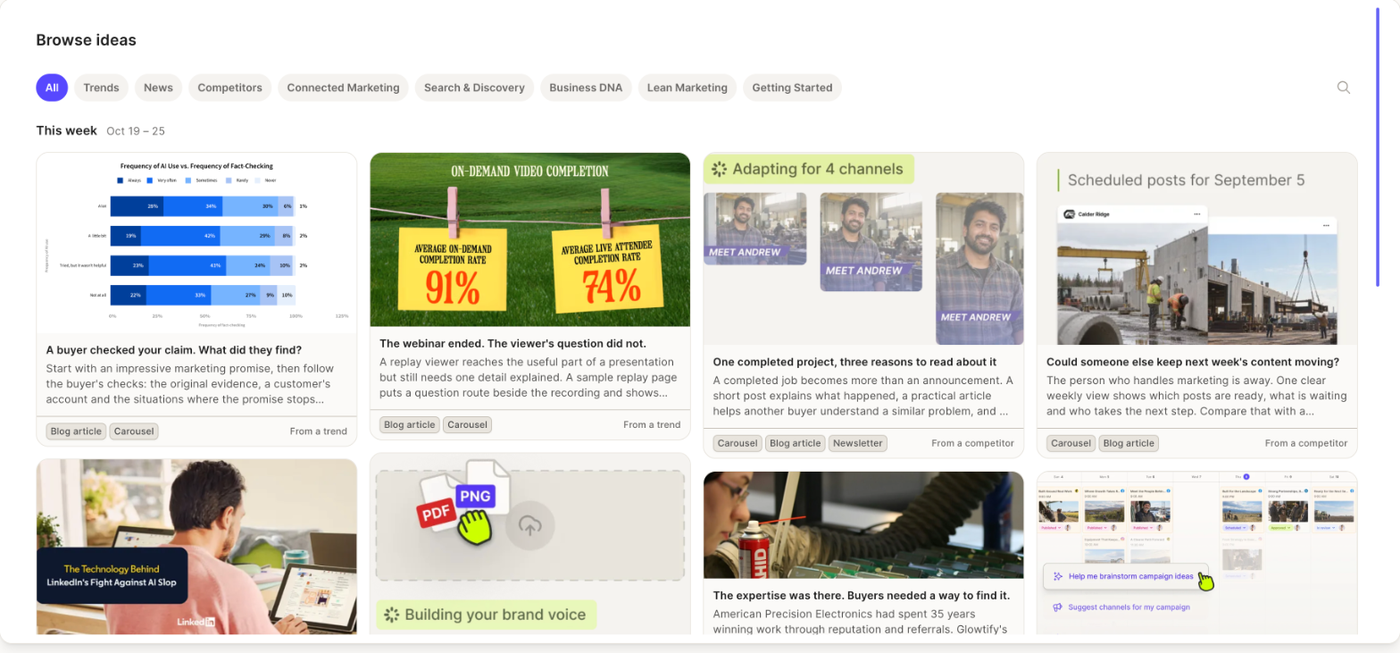
The weekly batch
A new batch is researched every week, in the night from Saturday to Sunday (Eastern time). The page opens on This week. When the next batch is already in, a Next week section appears above it. Older batches stay available under Show past ideas.
If the week looks empty, the message tells you why: the research hasn't run yet, it isn't ready, or it came back with nothing new ("A quiet week for new ideas").
When a batch changes while you're on the page, a banner asks you to Refresh ideas.
Finding the right idea
Use the pills at the top to narrow the batch: All, Trends, News, Competitors, or one of your content pillars. Search ideas filters the batches shown on the page and lists the matches in their own section.
Reading a card
Each card has a title, a short description and, when a source has one, a preview image. Open the card to see the full idea:
- Why it fits your brand and Why now
- Timeliness, one of News, Trends or Evergreen
- Sources, each labelled as your website, a competitor or an independent source, with its publication date and an excerpt you can expand
- Purpose in the funnel (awareness, trust, decision, retention), Suggested formats and What it needs (no shoot, photo, video, your input, an existing asset)
- Relevant store material when the idea points to something already in your Media Library or Moments, with a link to open it
- The event, products, content pillar and channels the idea is tied to
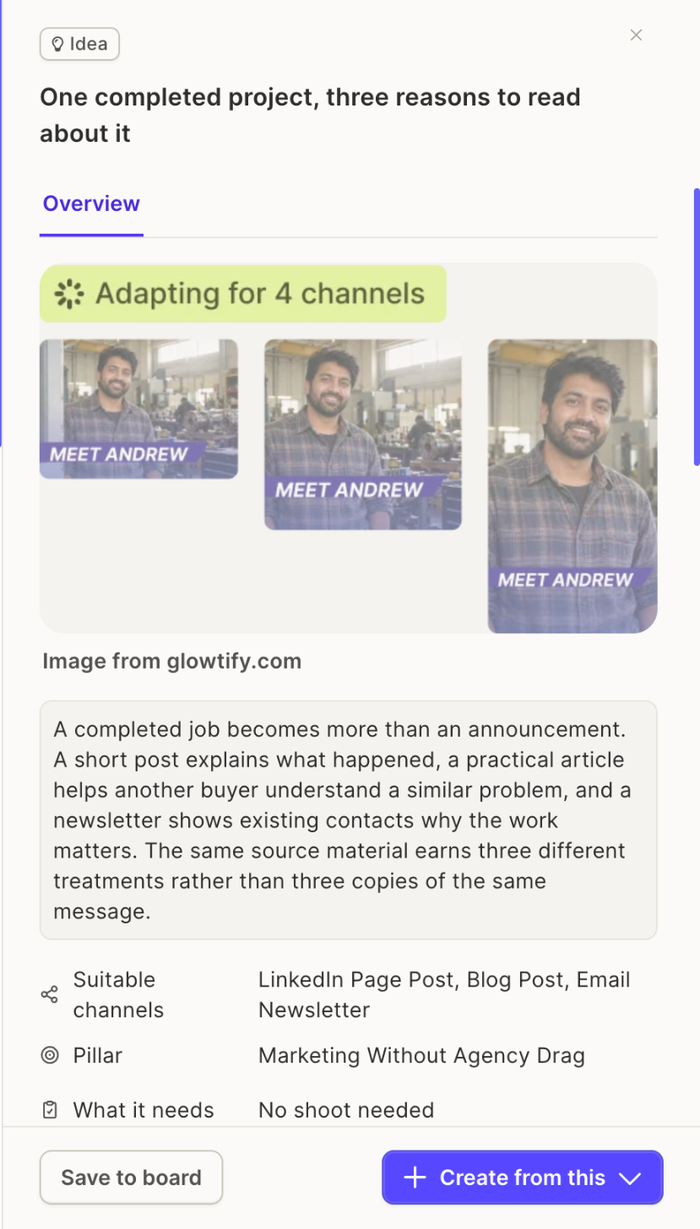
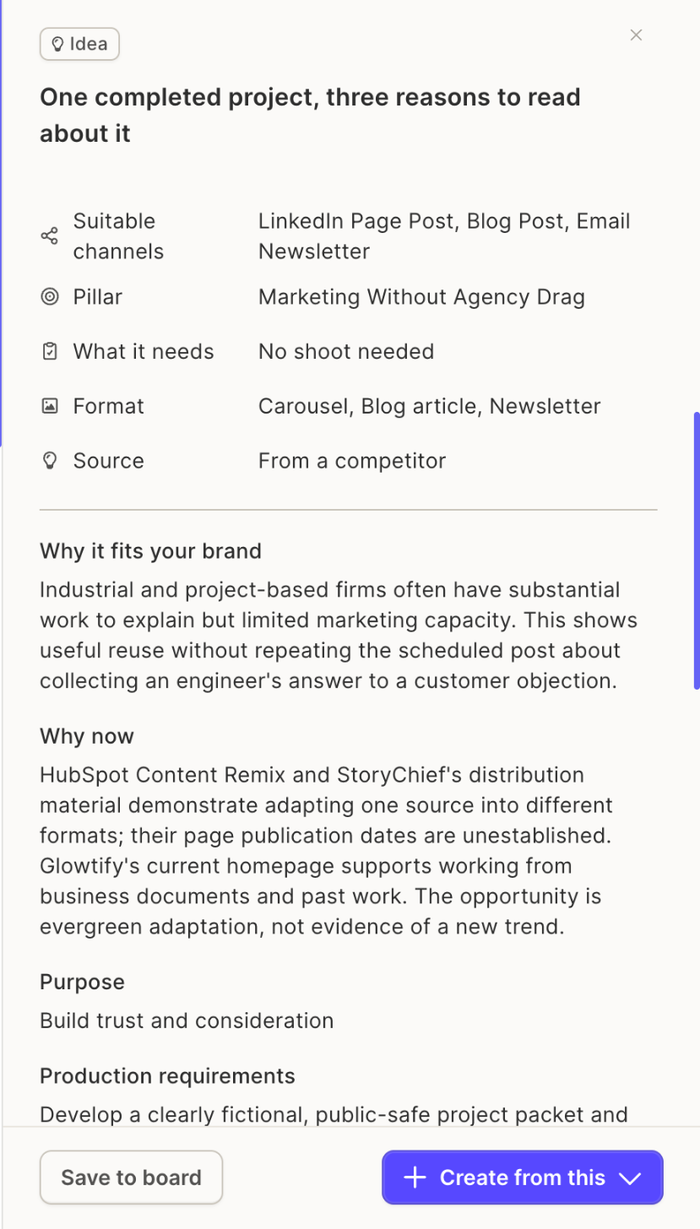
Some ideas are an Idea package, several related ideas grouped under one title. The package lists its ideas; you save or create from the package as a whole.
Saving an idea
Save to board copies the idea, its sources and its planning details to the Ideas Board, in Backlog. The card then shows Saved. Saving does not remove the idea from Browse.
Creating content from Browse
Create from this opens the same two choices as on the board: one post for one or many channels, or a campaign with several posts around the idea. See Create content from an idea.
Related articles
- Ideas Board: what happens to a saved idea
- Business DNA: the pillars, products and competitors the research draws on