Paramètres du compte
Tes paramètres de compte contrôlent ton profil perso, ton mot de passe, tes notifications et ta facturation. Les paramètres au niveau du Workspace (branding, membres, connecteurs) sont séparés — voir Gérer les Workspaces.
Profil
- Nom — Affiché à tes coéquipiers et dans les journaux d'activité
- Email — Utilisé pour la connexion et les notifications liées au compte
Changer ton email nécessite de vérifier la nouvelle adresse.
À propos de la langue et du fuseau horaire
L'interface de l'app Glowtify est en anglais uniquement pour l'instant (le contenu que tu produis avec Glowtify peut être dans n'importe quelle langue — c'est ton Business DNA qui pilote ça). Il n'y a pas de sélecteur de langue dans l'app.
Les horodatages et la planification utilisent le fuseau horaire actuel de ton navigateur, détecté automatiquement à chaque fois que tu planifies quelque chose. Pas de réglage timezone au niveau du workspace, pas d'override — Glowtify lit ça depuis ton appareil. Si tu voyages et que l'horloge de ton ordi change, la planif et le calendrier suivent.
Sécurité
- Mot de passe — Change ton mot de passe à tout moment
- Sessions actives — Vois où tu es connecté ; déconnecte-toi de n'importe quelle session à distance
Notifications
Glowtify te ping quand quelque chose réclame ton attention — une publication a échoué, un connecteur a besoin d'être reconnecté, un coéquipier t'a envoyé un post en review.
Les notifications apparaissent dans la cloche en haut à droite de l'app, à côté de ton avatar. Ouvre-la pour voir la liste. Les événements importants (échecs de publication, connecteurs expirés) t'envoient aussi un email à ton adresse de compte.

Facturation
- Voir ton plan actuel
- Voir les factures récentes et télécharger les reçus
- Mettre à jour ton moyen de paiement
- Changer de plan (upgrade ou downgrade)
- Annuler ton abonnement
Si tu gères plusieurs workspaces, la facturation est par boutique — voir FAQ Tarifs.
Supprimer une workspace
Pour supprimer une workspace que t'utilises plus, va sur app.glowtify.com/stores — le dashboard multi-Workspaces. Survole la ligne de la workspace à supprimer, et clique l'icône Delete (poubelle) à droite.
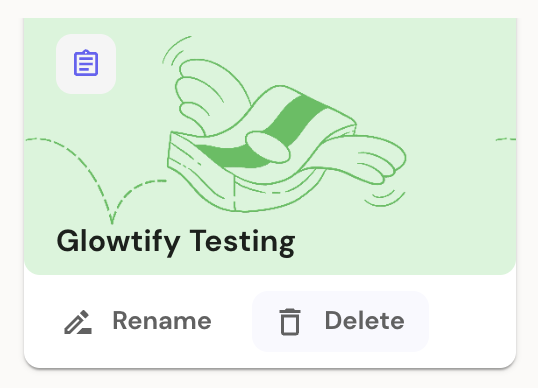
Supprimer une workspace est définitif et supprime ses connecteurs, brand DNA, calendrier, et contenu. Les posts planifiés non encore publiés sont annulés. Les posts déjà publiés sur les plateformes de destination (Meta, LinkedIn, etc.) y restent — Glowtify ne va pas dans les autres plateformes pour les supprimer.
Supprimer ton compte
Pour supprimer définitivement ton compte Glowtify et toutes les données personnelles associées, contacte support@glowtify.com. Si tu es le seul admin d'une workspace, tu devras transférer les droits admin ou supprimer la workspace d'abord.
Besoin d'aide ?
Pour toute question sur ton compte, ta facturation, tes paramètres — ou n'importe quoi d'autre — écris à support@glowtify.com. On répond sous un jour ouvré.
Articles connexes
- Gérer les Workspaces — paramètres au niveau du Workspace
- FAQ Tarifs — plans, limites, facturation multi-Workspaces
- Gérer ton abonnement — upgrade, downgrade, annulation