Account settings
Your account settings control your personal profile, your password, your notifications, and your billing. Workspace-level settings (branding, members, connectors) are separate — see Manage workspaces.
Profile
- Name — Shown to your teammates and in activity logs
- Email — Used for login and account-related notifications
Changing your email requires verifying the new address.
About language and timezone
The Glowtify app interface is English only for now (content you produce with Glowtify can be in any language — your Business DNA drives that). There is no in-app language switcher.
Timestamps and scheduling use your browser's current timezone, automatically detected each time you schedule something. There's no workspace-level timezone setting and no override — Glowtify reads it from your device. If you travel and your laptop's clock changes, scheduling and the calendar follow.
Security
- Password — Change your password anytime
- Active sessions — See where you're logged in; sign out of any session remotely
Notifications
Glowtify pings you when something needs your attention — a publication failed, a connector needs reconnecting, a teammate sent a post for your review.
Notifications appear in the bell icon at the top-right of the app, next to your avatar. Open it to see the list. Important events (publication failures, expired connectors) also send you an email at your account address.

Billing
- View your current plan
- See recent invoices and download receipts
- Update your payment method
- Change plan (upgrade or downgrade)
- Cancel your subscription
If you manage several workspaces, billing is scoped per store — see Pricing FAQ.
Deleting a workspace
To delete a workspace you no longer use, go to app.glowtify.com/stores — the multi-store dashboard. Hover the row of the workspace you want to remove, and click the Delete (trash) icon at the right.
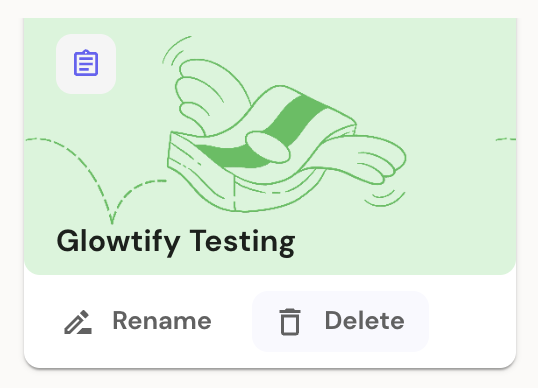
Deleting a workspace is permanent and removes its connectors, brand DNA, calendar, and content. Scheduled posts that haven't published yet are cancelled. Past published posts already live on the destination platforms (Meta, LinkedIn, etc.) stay there — Glowtify doesn't reach back into other platforms to delete them.
Deleting your account
To permanently delete your Glowtify account and all associated personal data, contact support@glowtify.com. If you're the sole admin of a workspace, you'll need to transfer admin rights or delete the workspace first.
Need help?
For any question about your account, billing, or settings — or anything else — write to support@glowtify.com. We answer within one business day.
Related articles
- Manage workspaces — workspace-level settings
- Pricing FAQ — plans, limits, multi-store billing
- Manage subscription — upgrade, downgrade, cancel